May 26th, 2026

Not "we've integrated with a ticketing platform." Not "you can now link out to Eventbrite." We've built ticketing directly into Guestii, and because it's Guestii, it works nothing like anywhere else.
One pass. Every venue. Forever.
Here's the bit that matters. When someone buys a ticket through Guest Line, they don't get a PDF that expires at midnight. They get a Guestii pass, added straight to their Apple or Google Wallet, and it lives there permanently.
That same pass works the next week when they walk in cold to a different Guestii venue. It works when a promoter adds them to a guest list. When they book a table. When they purchase a birthday package. When they rock up as a walk-in. Every entry method, every venue, one pass. No new signup. No new form. The door staff scan it, the system knows who they are, and in they go.
This is the thing no other ticketing platform has ever built. Everyone else gives your guests a barcode that expires. We give them a credential that gets more valuable every single time they go out.
Ticketing
Tickets live under a new Releases section inside each event. Stack your tiers however you like: Early Bird, General Release, Final Release, or lock down a secret release behind a password for your most loyal crowd.
Powered by Square. You'll need a connected Square account to sell tickets. If you're not set up yet, it takes about five minutes.
The Fees: $0.50 Guestii fee plus Square's standard online processing per sale. Most venues land at 60 to 70% cheaper than the platforms you're probably used to. Not a misprint.
Here's why we can do that. Ticketing platforms have spent years quietly piling on fees while delivering fewer and fewer real tools to justify them. We think that's a bad deal for venues and an even worse one for guests who second-guess hitting "buy" the moment they see the checkout total. Low fees mean more guests actually complete the purchase. More completions mean more revenue for you. It's not complicated, we just actually care about it.

Next-day payouts. Sell tonight, get paid tomorrow. No two-week hold. No platform sitting on your revenue until after the event. Your money moves like it should.
Online vs door. Online sales and door sales are tracked separately, so you can see exactly where your revenue is coming from at any point in the night.
Sales Channels
You can now tie ticket sales and Guest Line traffic back to the specific ads driving them. Connect your Meta, Google, and TikTok pixels to any event, drop your Guest Line link into your ad creative, and see conversions, click-through, and revenue by channel inside the dashboard.
If you're spending on Meta to push a Friday night, you'll finally know what it's actually returning. No more guessing, no more vibes-based budgeting.
New event dashboard
The in-event page has been completely rebuilt as a live dashboard. Invited, Admitted, Walk-ins, and Pre-purchased all update in real time with sparkline trends so you can see momentum at a glance. Revenue, Recent Activity, and Sales Channels sit alongside, so on the night your team can run the entire door from one screen.

Event page upgrades
Performers. Add artists to your lineup and link their Spotify so they show up properly on your Guest Line event page. Looks the part, takes thirty seconds.
Bulk promoter limits. Setting ticket type limits across your promoter team is now a bulk action. No more doing it one by one like it's 2014.
Live data. Everything on the event page now feeds live, so what you see is what's actually happening at the door. No refreshing, no lag, no surprises.
Next Up: Improved Booth Reservations
You can already set up your booth floor plan layout inside the Venue tab in Guestii. More on this very soon.
December 24th, 2025

Guestii Product Update — Changelog
This release focuses on core operational upgrades, major UI/UX improvements, and deeper Square integration across Web, Scanner, Promoter, and Reception workflows.
Web App Updates
Promoter Limits by Ticket Type
You can now set promoter limits based on specific ticket types, giving greater control over allocations, caps, and access levels per event.

Event Creation (Ticket-Type Aware)
Event creation now includes ticket type configuration from the start, resulting in a cleaner setup and better downstream control for promoters and door staff.

Ticket and Tag Manager Improvements
Enhanced tools to manage tickets and tags more efficiently, with faster editing, clearer visibility, and improved organisation at scale.
Scanner App Updates
Walk-In Tool
A new walk-in flow allows door staff to quickly add and process guests, designed for speed during peak entry periods.

Improved Offline Mode
Significant improvements to offline reliability ensure the scanner continues operating smoothly with limited or no connectivity.
Promoter App Updates
New Layout
The promoter interface has been fully refreshed with a cleaner structure, faster navigation, and reduced friction.

Bulk Edit
Promoters can now bulk edit guests, tags, and allocations, replacing slow manual workflows with efficient batch actions.

Major UI and UX Updates
We’ve rolled out significant UI and UX improvements across the entire platform, including:
Web App
Scanner App
Promoter App
These updates focus on faster workflows, fewer clicks, clearer role separation, and better performance during live events.
New Reception Role (Square Payments Enabled)
A new dedicated Reception role has been introduced for front-of-house operations.
Reception staff can now:
Take payments directly via Guestii
Process payments using Square
Manage walk-ins and door payments without promoter or admin access
This role is designed for venues that need tighter operational control and clearer separation of responsibilities.
Square Partnership and Payments Integration
Guestii now supports native Square integration across the Web App and Reception App.
Key highlights:
Connect an existing Square account or create a new one directly via the Guestii Web App
Accept payments through:
Guestii Web App
Guestii Reception App
This integration simplifies payments, reconciliation, and front-of-house operations for venues already using Square, and sets the foundation for deeper payments and reporting features.
October 28th, 2025
New
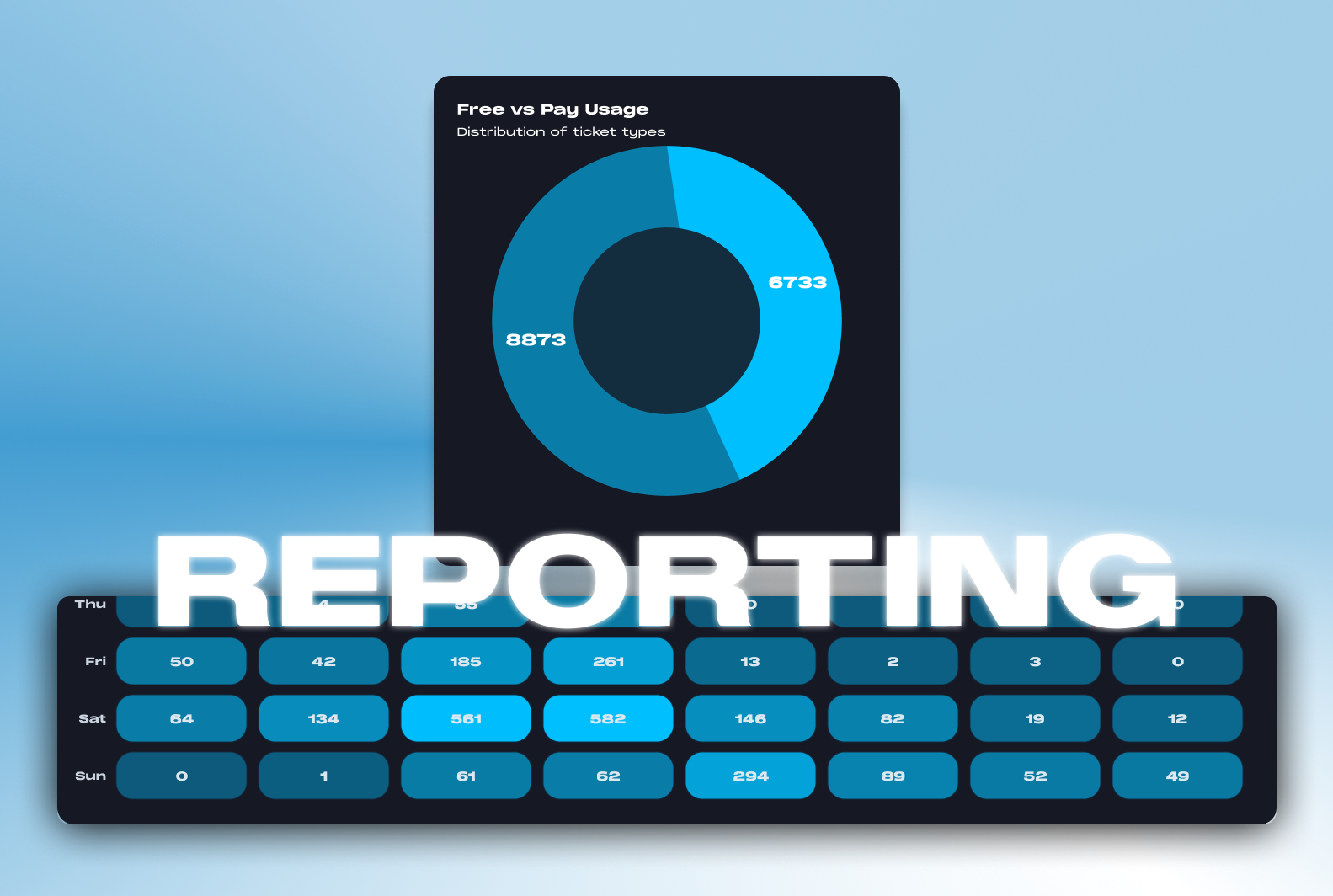
We’re excited to announce a major update to Guestii’s reporting capabilities. Providing promoters, venues, and groups with a comprehensive overview of event performance, including attendance, sales, and team activity.
Granular Reporting by Venue & Event
You can now:
Filter by group, single venue, or multiple venues
Select individual events or several events together
Choose custom date ranges (or quick filters like today, this week, this month, last month)
This flexibility means you can quickly analyse how performance varies across nights, promoters, or locations.

Comprehensive Overview & Insights
Your new overview dashboard now includes key performance metrics such as:
Total Invited, Admitted & No-shows
Attendance Rate (split between free and paid tickets)
Top Tags & Conversion Rates with visual charts
These insights help you understand not only how many people showed up, but also who they were and how they got there.
Promoter Performance Breakdown
Drill into each promoter’s individual performance:
See how many invites each promoter issued (free and paid)
Track conversion rates and attendance percentages
Instantly identify your top-performing promoters
Example:

🔥 Peak Time Heatmap
At the bottom of every report, you’ll find a heatmap showing when guests are entering your venue. Use this to:
Identify peak times
Plan door staff, reception, and bar resources more effectively

🤖 BETA TEST: AI Event Insights
We’re also working on AI-powered analytics that will automatically highlight insights. This feature will make it easier than ever to understand your event data without needing to crunch numbers.
Rolling out to selected partners over the coming month.
October 22nd, 2025
New
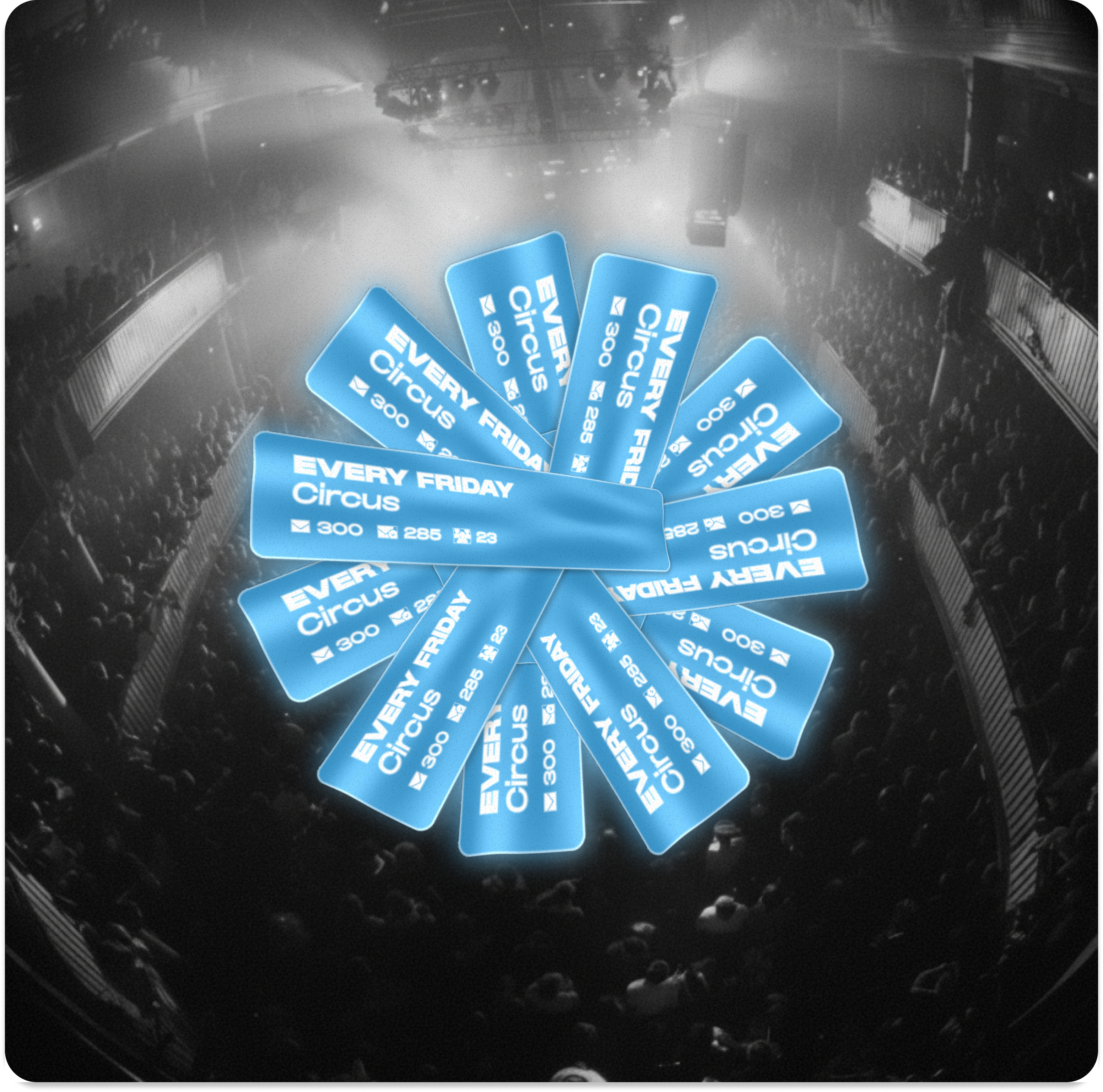
We’ve just made running regular events a whole lot easier.
You can now create recurring events directly from the “Add Event” screen. Choose how often your event repeats: weekly, fortnightly, or monthly, and Guestii will handle the rest.
When your current event ends, the next one in the series is automatically created, complete with the same:
Team members
Start and end times
Member lists
Blacklists
You’ll never have to rebuild your events from scratch again.
Need to tweak something? No problem. You can edit any recurring event individually, whether that’s swapping a promoter, changing the time, or clearing the blacklist for a fresh start.
Guestii keeps your recurring nights consistent while still giving you flexibility when you need it.
October 19th, 2025
New

This update is designed for nightlife groups, hospitality operators, and event collectives managing multiple locations under one brand.
Group Accounts
You can now manage multiple venues from a single group account.
Whether you operate a few bars across the city or multiple clubs under the same umbrella, you’ll now have:
Centralised control over all your venues
Easy switching between each venue dashboard
Visibility into guestlists, analytics, and staff roles across every location
Group Accounts are ideal for operators like hospitality groups, promoters, or event companies managing multiple spaces.
Group Reporting will be accessible next week.
New Role: Venue Manager
We’ve added a new role: Venue Manager, for staff who oversee a single venue within your group.
Venue Managers have the perfect balance of control and focus:
Access to manage their venue’s events, guestlists, and team
No need to jump through extra admin layers
Seamless collaboration with Group Admins and other venues within the group
Venue Managers can be added by the Group Admin
Multi-Venue Access for Promoters & Scanners
Promoters and scanners can now be part of multiple venues from one login.
That means:
One Guestii team profile
Instant switching between venues
Cleaner workflows for staff working across multiple events or locations
This makes onboarding faster, eliminates duplicate accounts, and keeps your entire operation connected under one platform.
Why it matters
Guestii Venues turns your platform into a true multi-venue CRM for nightlife.
It’s built by the industry, for the industry, helping you scale, stay organised, and keep your team in sync across every venue.
Available now
Group Accounts and Venue Manager roles are live today.
If you’re managing multiple venues and want access, reach out to our team or update your Guestii app to the latest version.
October 4th, 2025

We are introducing the first version of the Guestii CRM! This is a tab within the webapp and accessible for event managers and admins with 4 key features within it; Guestii’s, Requests, Members and Blacklist.
Members 🎟️
You can now add Guests to the members section, they will automatically be added to every event created! Members can also have tags permanently assigned
Requests 🛎️
You can now embed in your website, add a link to your instagram or send to guests a guestlist form for them to request guest list. Once submitted, their guest profile appears under the requests tab.
From here, you can assign them to an event and you can also view their instagram profile if provided!

Blacklist ❌
Within the Guestii CRM, you can add names to the Blacklist tab. All names added here are unable to be added to events via promoter or event manager invitation modules.
We’ve also fixed a few bugs 🐛
Calendar Padding
WebApp Invitation Module (clear ticket type)
Ticket type defaults to Pay for promoters
Promoters can add plus ones and promoters
Refer to our help docs to learn how to use the new features 💡
September 5th, 2025
What’s new?
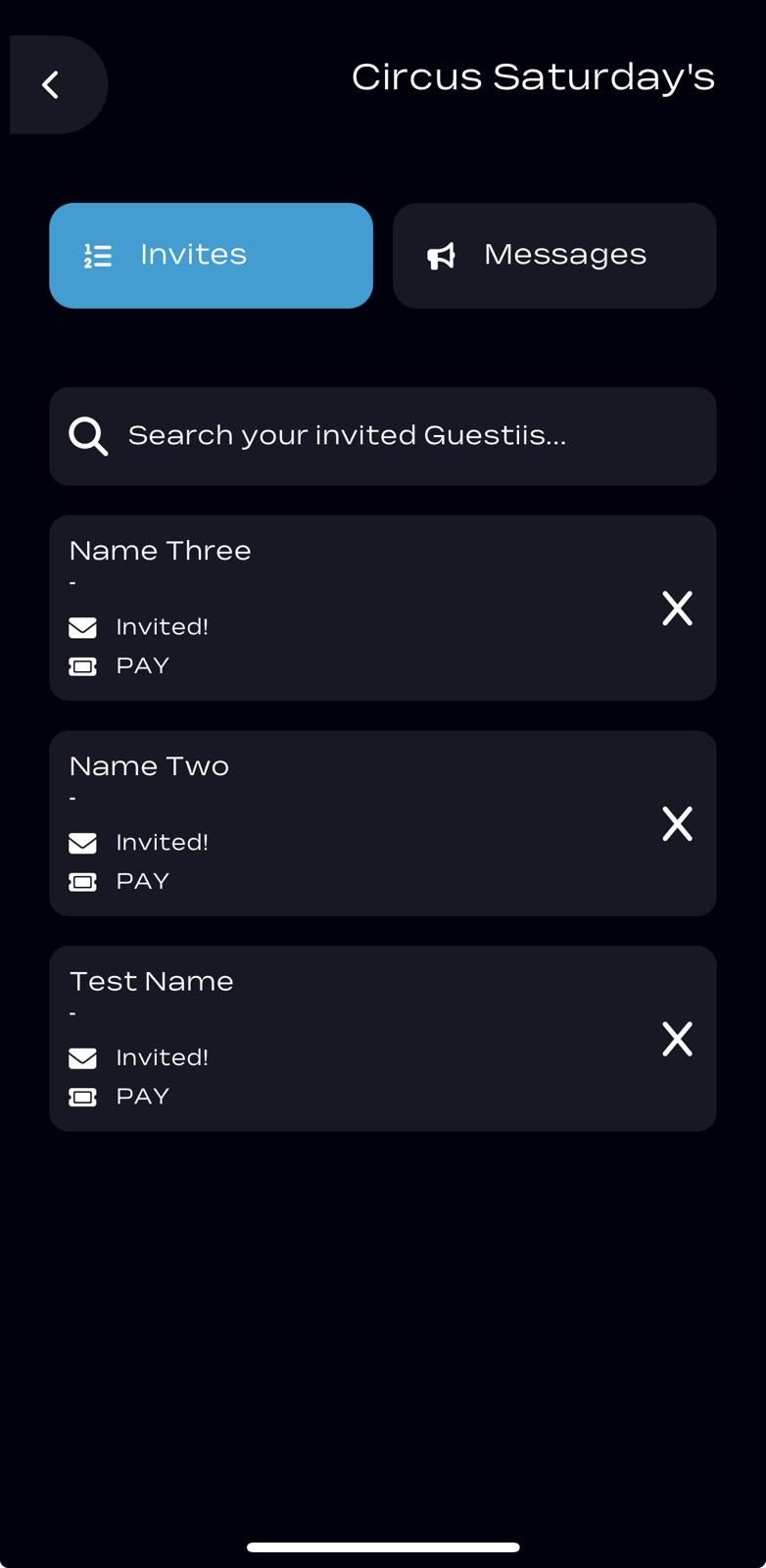
Promoters can un-invite guests
Scanner admissions now reflect in promoter app
Promoter’s can view free/pay information on the guest cards
Infinite promoter limits bug fix
Free or Pay specific invite limits for promoters
Free & Pay Limits

Set a limit for free invites separately to the limit for pays to ensure your promoters are bringing in an optimal amount of paid entry guests!
Live View in Promoter App

When the scanner admits one of the promoters guests, the name card will turn green and status is admitted!
August 29th, 2025
Improved
What’s New?
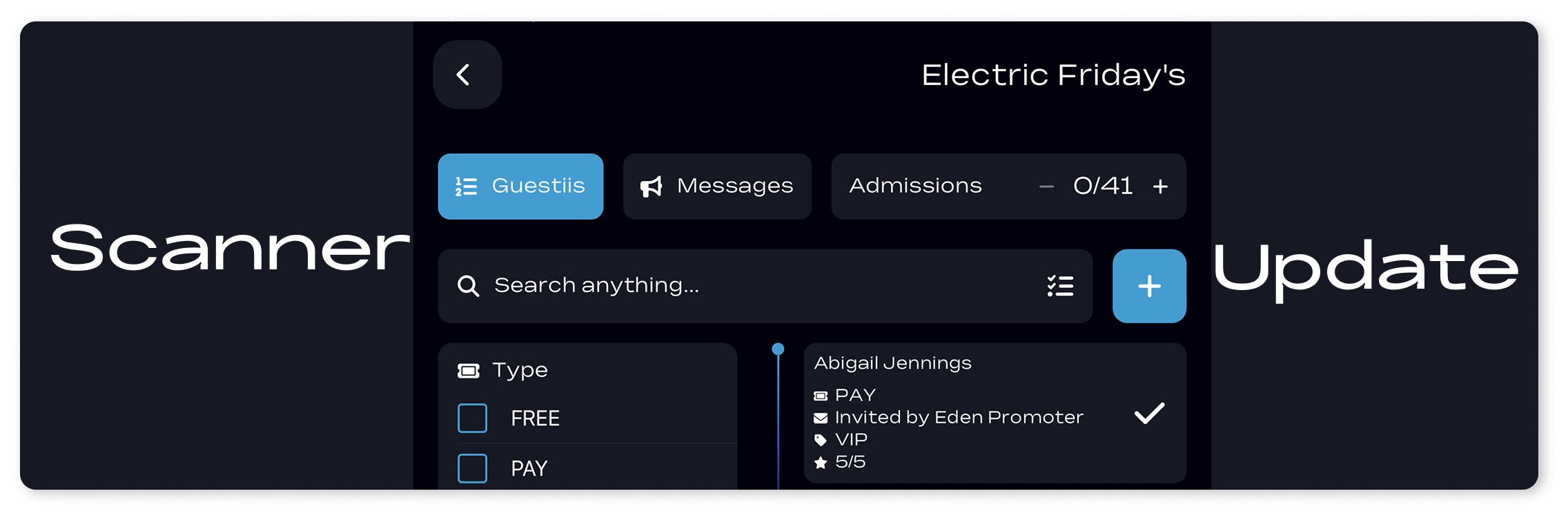
Manual Counter Admissions
Improved Offline Mode
Guestii Card Selections
Guestii Walk-in Admission and data capture
Manual Counter Admissions
This can be used to quickly admit a ‘regular’ who most likely won’t be queuing at the door to get in. Just tap the plus button next to Admissions.

The record of their entry will be recorded on the event dashboard.

Counter Admission in both online and offline modes may take up to 60 seconds to appear on the event dashboard.
Improved Offline
If you’re using an iPhone or iPad, offline mode will work seamlessly with no delays. As soon as you have a connection again, all admissions will sync to the event dashboard for reporting.
Guestii Card Selection
You can now select what you want to see on the Guestii cards. When on the admissions page of the scanner side of the app, you can click the icon next to the search bar (see below).


Guestii Walk-in Admission
You can now admit walk-ins. Simply click the blue plus button within the admissions section of the scanner side, and the pop-up will appear. This will help build your Guestii CRM and get more repeat Guestii’s.

July 27th, 2025
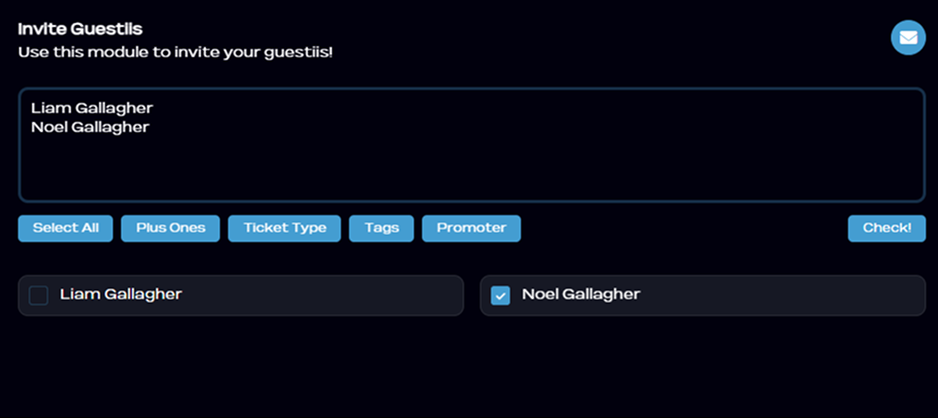
You can now assign ticket type, tags, plus ones, and promoter directly during the invite process.
Whether you're adding a few names or bulk uploading, you can:
Select individual guests or all at once
Add plus ones
Choose ticket type (free or pay)
Apply tags
Attribute a promoter
It’s a faster, cleaner way to get your guestlist ready without switching tabs or editing later.
Live now in the Guestii webapp.